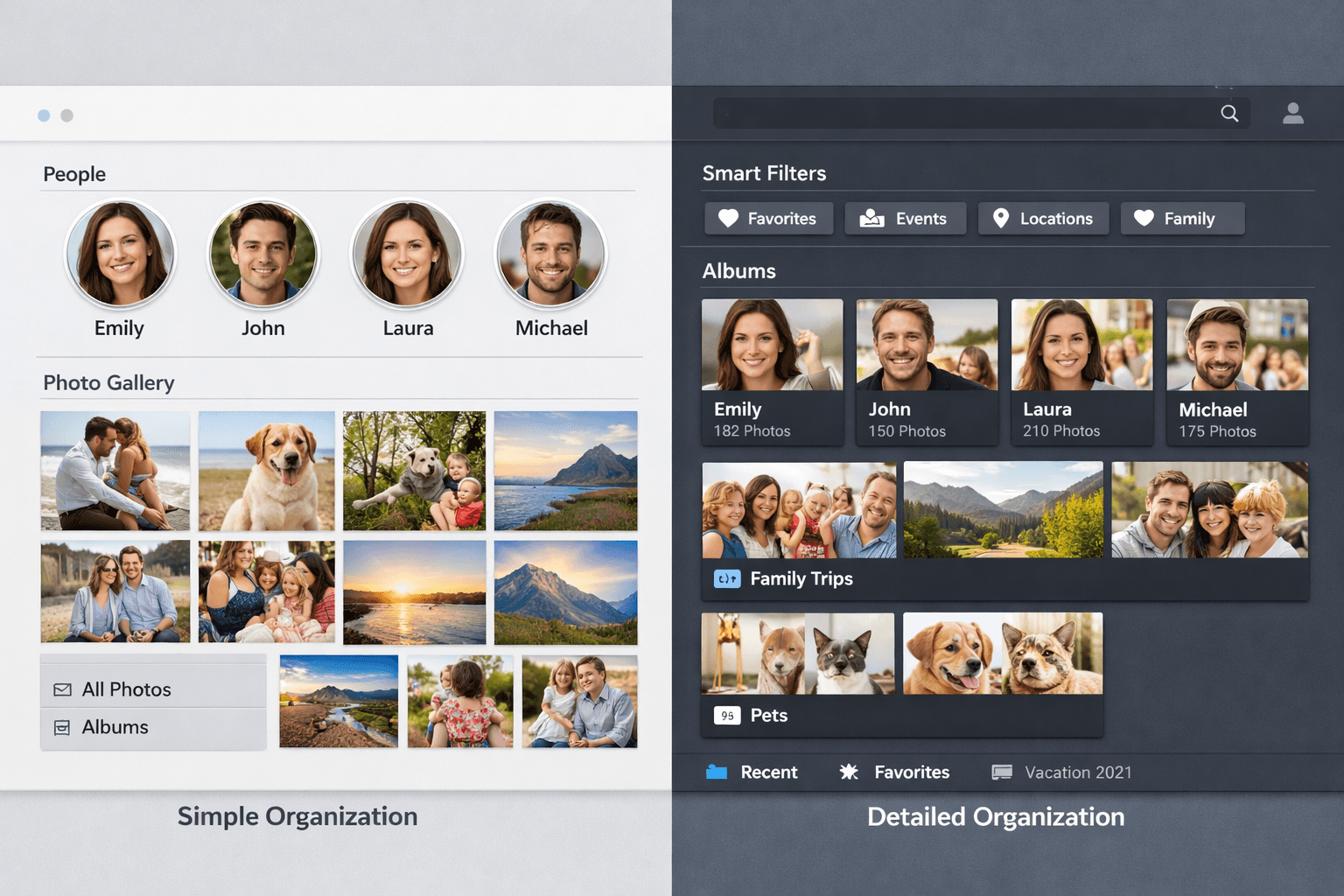
Google Photos automatically groups your photos by face, which is great for browsing your personal library. But when it comes to actually organizing and sharing event photos by person, Google Photos falls short in several important ways.
What Google Photos Face Recognition Does Well
Let's start with the positives. Google Photos' face recognition is genuinely useful:
- Automatic grouping: Faces are grouped without any setup from you
- Good accuracy: 85-90% face matching, even with different expressions and angles
- Search by person: Type a person's name to find all their photos
- Free: Included with Google Photos (15GB free storage)
- Cross-device: Works on Android, iOS, and web
For browsing your own photo library and finding photos of specific people, Google Photos works great. The problems start when you need to do more than just browse.
Limitation 1: No Bulk Export by Person
This is the biggest limitation. Google Photos groups photos by face, but there's no way to download all photos of a specific person as a folder or ZIP file.
You can search for a person and see their photos, but downloading them requires:
- Searching for the person
- Manually selecting all photos (no "Select All" for face groups)
- Downloading as a flat collection (no folder structure)
For a wedding with 300+ photos and 10+ people to organize, this manual process defeats the purpose.
The problem in practice
"I have 500 wedding photos and want to create a folder for each guest. Google Photos knows who's who, but I can't export organized folders. I ended up spending 4 hours doing it manually."
Limitation 2: Photos Stored Indefinitely (Privacy)
When you upload photos to Google Photos, they're stored on Google's servers indefinitely. Google uses this data to improve its AI models and for targeted advertising insights.
- No automatic deletion after processing
- Google's privacy policy allows using photos for AI training
- Facial data is stored as long as your account exists
- Data may be subject to government access requests
For people who care about privacy (especially with biometric face data), this is a significant concern.
Limitation 3: Only Works Within Your Library
Google Photos face recognition only works within your personal photo library. You can't:
- Upload someone else's photos temporarily for organization
- Process a batch of event photos and discard them after
- Share organized results without adding everything to your permanent library
This means if you're a photographer organizing client photos, you'd need to upload every client's photos to your personal Google account. Not ideal.
Limitation 4: No Control Over Matching
Google Photos decides how to group faces automatically. You can't:
- Specify which people to focus on (it groups everyone it detects)
- Set matching confidence thresholds
- Upload reference photos to improve matching for specific people
- Merge or split groups easily when the AI makes mistakes
Sometimes Google creates multiple groups for the same person (different lighting, angles, or ages). Merging these groups is a manual, tedious process.
Limitation 5: Storage Limits
Google Photos' free tier is limited to 15GB (shared with Gmail and Google Drive). For photographers or anyone with large photo collections:
- 15GB: Approximately 3,000-5,000 photos at original quality
- Storage saver mode: Compresses photos (reduces quality)
- Google One plans: $1.99/month for 100GB, $2.99/month for 200GB
If you're uploading hundreds of photos per event just for organization purposes, storage fills up quickly.
Limitation 6: Not Designed for Photo Delivery
Google Photos is designed for personal photo storage and browsing. It's not a delivery tool. Missing features for delivery include:
- No per-person download links to share
- No ZIP folder generation
- No client gallery features (branding, download tracking)
- No batch sharing by person
Better Alternatives for Organizing Event Photos
If Google Photos' limitations are holding you back, here are purpose-built alternatives:
PhotoMind (Best for Organized Folders by Person)
- What it does: Upload bulk photos + reference faces → download ZIP folders per person
- Privacy: 24-hour auto-delete, no data stored permanently
- Pricing: Free (100 photos), $12.99/month (2,000 photos), $49.99/month (6,000 photos)
- Best for: Event photo organization and delivery
Key advantage over Google Photos
PhotoMind creates downloadable ZIP folders per person. Upload 300 wedding photos, get organized folders for bride, groom, family - ready to share in 10 minutes. Google Photos can't do this.
Apple Photos (Best for Privacy)
- What it does: On-device face recognition, no cloud processing
- Privacy: Everything stays on your device
- Pricing: Free (included with macOS/iOS)
- Limitation: Apple ecosystem only, no export by person
Pic-Time (Best for Professional Photographers)
- What it does: Client galleries with face search, e-commerce
- Privacy: Professional hosting with client access controls
- Pricing: $12-40/month
- Best for: Photographers who need client-facing galleries
Google Photos vs. PhotoMind: Direct Comparison
| Feature | Google Photos | PhotoMind |
|---|---|---|
| Face recognition | Automatic | Reference-based |
| Export by person | No | ZIP folders |
| Photo deletion | Stored forever | 24h auto-delete |
| Bulk upload | Yes | Yes (drag & drop) |
| Control matching | No (automatic) | Yes (reference photos) |
| Photo delivery | Not designed for | ZIP download |
| Free tier | 15GB | 100 photos |
| Best use case | Personal library | Event photo delivery |
When to Use Google Photos vs. Alternatives
Stick with Google Photos if:
- You just want to browse your personal photo library by person
- You don't need to export organized folders
- Privacy of stored photos isn't a major concern
- You're already in the Google ecosystem
Use an alternative like PhotoMind if:
- You need organized, downloadable folders per person
- You're organizing event photos to share with others
- Privacy matters (you want photos deleted after processing)
- You're a photographer delivering photos to clients
- You want control over which people to sort by
Conclusion
Google Photos is a fantastic tool for personal photo browsing. Its face recognition is accurate, free, and works seamlessly across devices. But it was never designed for organizing and delivering event photos to other people.
When you need to create per-person folders, share organized collections, or maintain privacy with temporary processing, purpose-built tools fill the gap that Google Photos can't.
The good news? You can use both. Let Google Photos handle your personal library, and use a tool like PhotoMind when you need to organize and share event photos.
Get What Google Photos Can't Do
Organized folders per person, downloadable ZIPs, 24h auto-delete. Free for 100 photos.
Try PhotoMind FreeTry PhotoMind Free
Organize your event photos by person in 10 minutes. Free tier: 100 photos, 3 reference faces. No credit card required.
Get Started FreeRelated Articles
How to Organize Wedding Photos by Person in 2026
Face Recognition Software: Privacy & Security Best Practices
Wedding Photographers: How to Deliver Photos Faster to Clients
Best AI Photo Organizer Tools in 2026: Complete Comparison
How to Share Wedding Photos with Guests: Complete Guide
How to Organize Family Reunion Photos by Person
Bulk Photo Sorting: 5 Ways to Organize Hundreds of Photos Fast
How to Organize Thousands of Photos Automatically
Best Way to Sort Photos on iPhone: Albums, Faces & AI
How to Find and Remove Duplicate Photos Automatically
How to Tag and Search Photos with AI: Text Search, Face Tags & More
How to Organize Family Photos Digitally (Before They're Lost)
How Professional Photographers Manage Large Photo Libraries
Best AI Photo Management Software: Stop Wasting Time Searching
Found this helpful? Read more articles