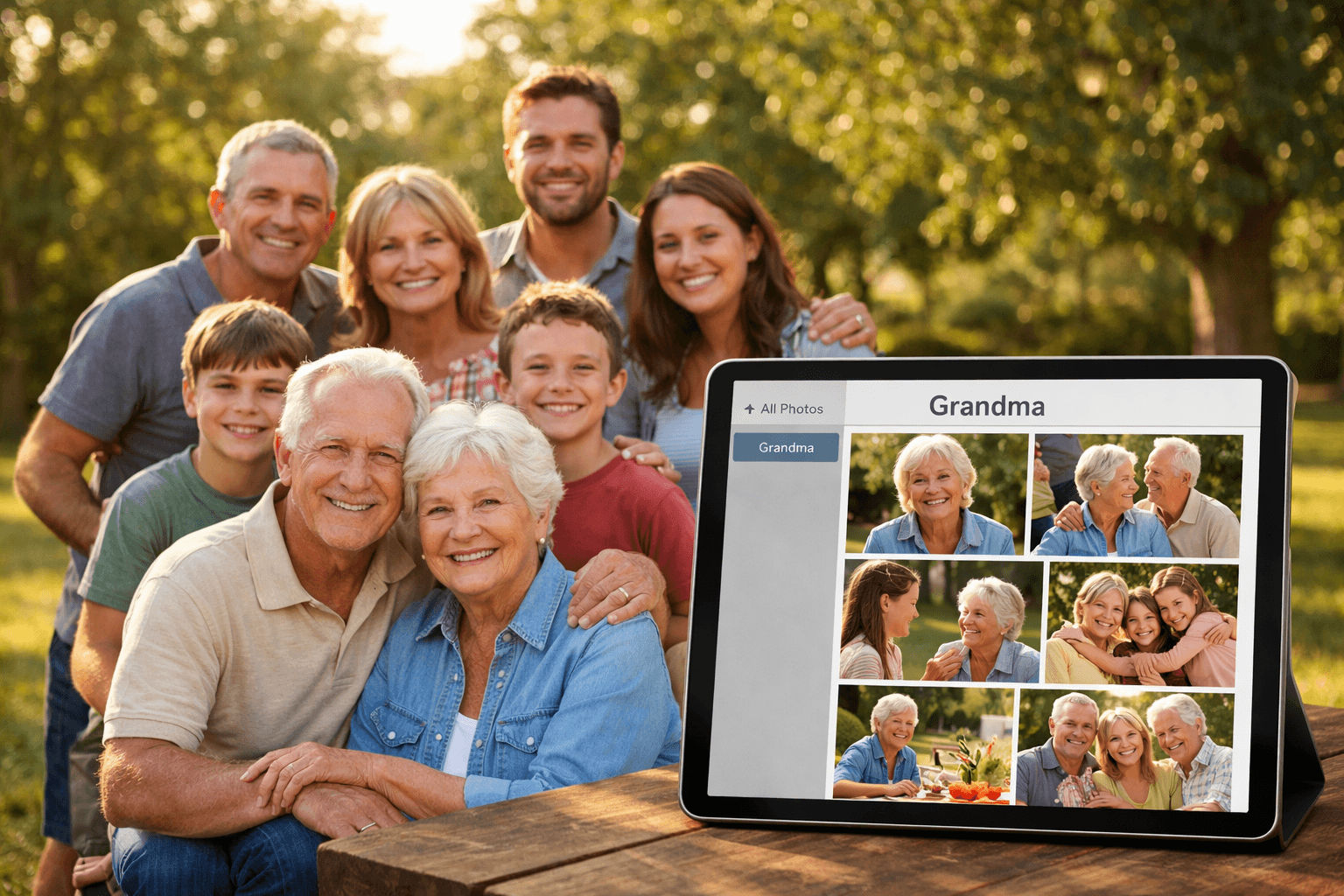
Family reunions are wonderful. The photo aftermath? Not so much. You've got 200+ photos from multiple cameras and phones, and every aunt, uncle, and cousin wants the photos they appear in. Here's how to organize and share them without losing your weekend.
The Family Reunion Photo Problem
A typical family reunion generates 100-500 photos from various sources: the designated photographer, Uncle Bob's DSLR, everyone's phone cameras. After the event, the requests start:
- "Can you send me the photos with Grandma?"
- "I want all the photos of my kids!"
- "Where's the group shot with the cousins?"
Sorting through hundreds of photos to find every person is a task most people put off for weeks (or never finish). But with AI face recognition, you can do it in under 15 minutes.
Step 1: Collect All Photos in One Place
Before organizing, gather all photos from every source:
- Photographer's camera: Download from SD card to your computer
- Family phones: Ask family members to AirDrop, share via Google Photos, or use a shared album
- Group photos: Check shared WhatsApp/iMessage groups for photos you might have missed
Tip: Create a shared album during the event
Before the reunion, create a shared Google Photos or iCloud album and invite all family members. Everyone uploads their photos to one place automatically. Much easier than collecting after the fact.
Step 2: Upload Photos to an AI Organizer
Once all photos are collected, upload them to an AI face recognition tool. PhotoMind's free tier handles up to 100 photos, which is perfect for smaller reunions. For larger events, the Premium plan supports 2,000 photos per month.
- Go to PhotoMind and create a new job
- Drag and drop all reunion photos (JPG, PNG supported)
- Photos upload directly and securely
Step 3: Add Reference Faces
Upload 1-3 clear photos of each family member you want to organize by. For a typical reunion, you might add:
- Grandparents: 1-2 clear face photos each
- Parents/Aunts/Uncles: 1-2 photos per person
- Cousins/Kids: 2-3 photos (kids can be harder to match, so more references help)
How many reference faces do you need?
- Free plan: 3 people (great for immediate family)
- Premium: 7 people (parents, grandparents, siblings)
- Business: 10 people (extended family coverage)
Step 4: Let AI Do the Work
Click "Process" and wait 5-15 minutes (depending on photo count). The AI will:
- Scan every photo for faces
- Compare each face with your reference photos
- Group photos by person with 80-95% accuracy
- Create an "Unclassified" folder for unmatched photos (group shots, scenic photos, etc.)
Step 5: Download and Share
Download the organized ZIP folders. Each folder contains all photos where that person appears. Now you can share each folder individually:
- Email: Attach the ZIP or upload to Google Drive and send the link
- WhatsApp/iMessage: Share the ZIP file directly in chat
- Dropbox/Google Drive: Upload each folder and share individual links
Tips for Better Results at Family Reunions
Before the Reunion
- Collect reference photos in advance: Ask family members to send a clear selfie before the event
- Designate a photographer: Having one person take most photos ensures consistent quality
- Set up a shared album: Make it easy for everyone to contribute photos
During the Reunion
- Take group photos early: Before people leave or change outfits
- Good lighting matters: Face recognition works best with well-lit, clear photos
- Capture candids: Natural moments are often the most cherished
After the Reunion
- Organize within a week: Family excitement is still high, and you'll remember who's who
- Check the Unclassified folder: Some group shots or side-angle photos may not match automatically
- Share promptly: Don't wait months - family members appreciate quick sharing
Family Reunion Photo Checklist
- Collect photos from all family members
- Upload to AI organizer (PhotoMind or similar)
- Add reference faces for key family members
- Process and download organized folders
- Review Unclassified folder for missed matches
- Share individual folders with each family member
- Save a master copy for the family archive
Why AI Organization Works for Families
Family reunions are one of the best use cases for AI photo organization because:
- Many people, many photos: The more people and photos you have, the more time AI saves
- Everyone wants their own photos: Personalized folders make everyone happy
- Mixed ages work well: AI can distinguish between people of different ages reliably
- It's a recurring need: Every family gathering creates the same challenge
Conclusion
Organizing family reunion photos doesn't have to be a weekend project. With AI face recognition, you can go from a messy pile of 200+ photos to organized, shareable folders per person in under 15 minutes.
Your family will love receiving their personalized photo collection. And you'll love not spending hours manually sorting through every photo.
Organize Your Reunion Photos
100 photos free. Organized folders per person in minutes.
Get Started FreeTry PhotoMind Free
Organize your event photos by person in 10 minutes. Free tier: 100 photos, 3 reference faces. No credit card required.
Get Started FreeRelated Articles
How to Organize Wedding Photos by Person in 2026
Face Recognition Software: Privacy & Security Best Practices
Wedding Photographers: How to Deliver Photos Faster to Clients
Best AI Photo Organizer Tools in 2026: Complete Comparison
How to Share Wedding Photos with Guests: Complete Guide
Bulk Photo Sorting: 5 Ways to Organize Hundreds of Photos Fast
Google Photos Face Recognition: Limitations & Better Alternatives
How to Organize Thousands of Photos Automatically
Best Way to Sort Photos on iPhone: Albums, Faces & AI
How to Find and Remove Duplicate Photos Automatically
How to Tag and Search Photos with AI: Text Search, Face Tags & More
How to Organize Family Photos Digitally (Before They're Lost)
How Professional Photographers Manage Large Photo Libraries
Best AI Photo Management Software: Stop Wasting Time Searching
Found this helpful? Read more articles